Your calendars, together.
Browse month, week, and day views. Connect Google Calendar or calendars available through macOS, and create local events. Supported Google changes sync back when your permissions allow.
Calendar Planner brings your calendars, tasks, and daily plans together in one thoughtfully organized Mac workspace.
Made for Mac · Google Calendar & Tasks · Apple calendars & reminders
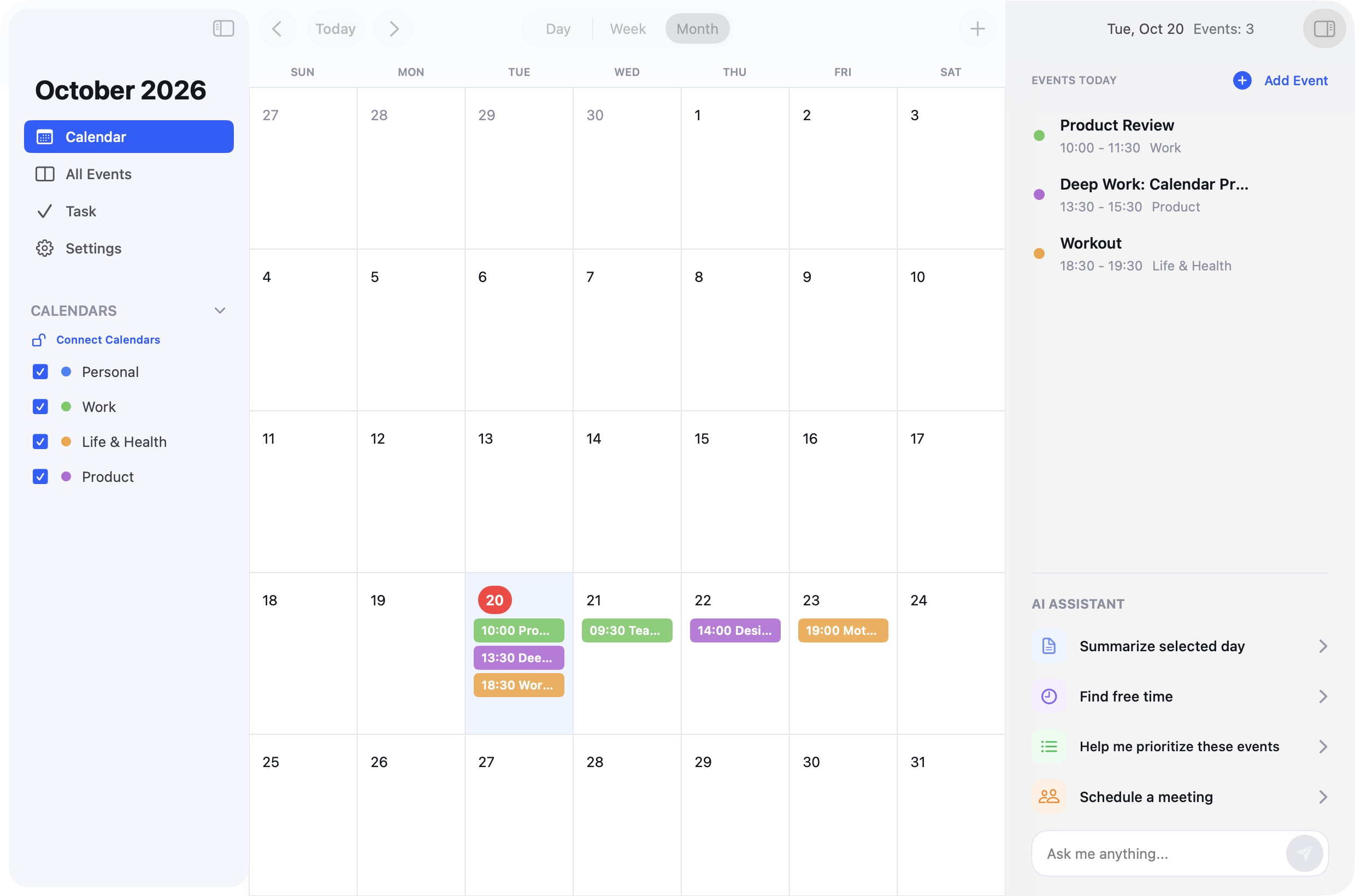
Calendar Planner’s native interface with illustrative sample events. View full size
See the bigger picture, keep track of the details, and plan your next step.
Browse month, week, and day views. Connect Google Calendar or calendars available through macOS, and create local events. Supported Google changes sync back when your permissions allow.
Manage local tasks, Apple Reminders, and Google Tasks in a dedicated task view. Add details, mark work complete, and keep events and to-dos organized in their own spaces.
Ask optional AI to summarize a schedule, help identify free time, or prepare an event draft. Requests include relevant schedule or task details and are processed by external AI services. Review drafts before saving.
Choose which accounts and sources to connect, keep a local view of your plans, and decide when to ask AI for help.
Read our privacy policyQuestions about Calendar Planner, connected accounts, or your privacy.
support@zyntrixal.com